




Frequently Asked Questions
What are Blend Modes?
Blend Modes allow you to control the way image elements (e.g. images, shapes, patterns, etc.) behave when layered together.
If you use a normal Blend Mode when placing one image element on top of another, the bottom layer will be completely covered by the top layer:
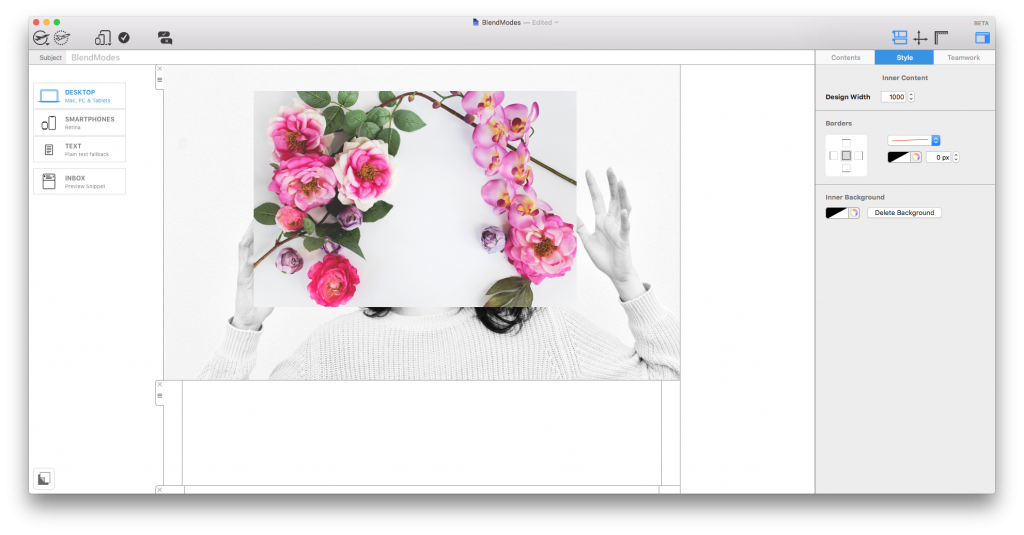 However, there are in fact multiple ways in which you can layer image elements. You can control this by applying various Blend Modes to modify the way two layers blend with each other.
Access Blend Modes under the "Style" menu after clicking on a design element. Here you can scroll through the different modes to find the effect which works best for your design.
However, there are in fact multiple ways in which you can layer image elements. You can control this by applying various Blend Modes to modify the way two layers blend with each other.
Access Blend Modes under the "Style" menu after clicking on a design element. Here you can scroll through the different modes to find the effect which works best for your design.
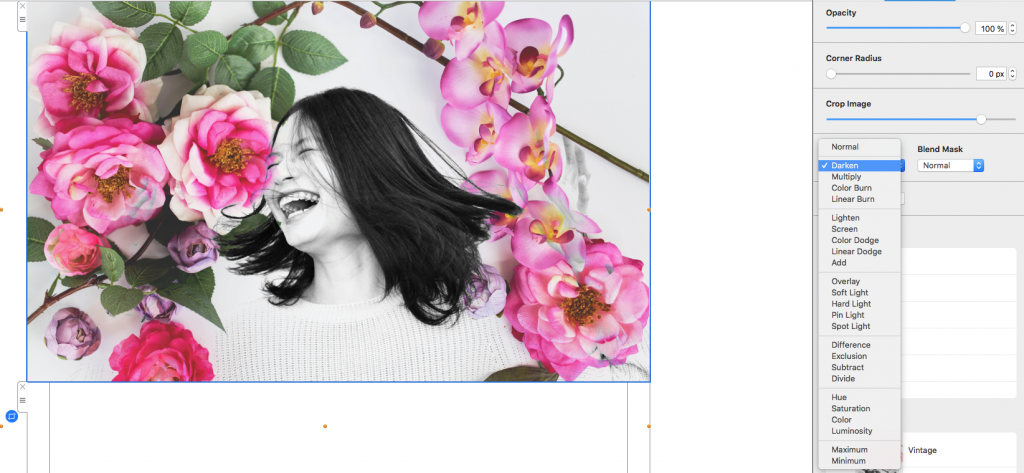 You can find more detailed information about the different Blend Modes available in Mail Designer 365 in this guide.
However, there are in fact multiple ways in which you can layer image elements. You can control this by applying various Blend Modes to modify the way two layers blend with each other.
Access Blend Modes under the "Style" menu after clicking on a design element. Here you can scroll through the different modes to find the effect which works best for your design.
You can find more detailed information about the different Blend Modes available in Mail Designer 365 in this guide.