




Frequently Asked Questions
How do I synchronize my channel list?
In your channel list, you determine which channels are displayed in the program views, in what order they should be displayed, and you can also assign channel numbers (e.g. corresponding to the arrangement on your remote control).
To also transfer your channel list to another iPhone or iPad, proceed as follows:
1. In the TV Pro settings, tap "Add Channels"
2. Tap "..." at the very top there.
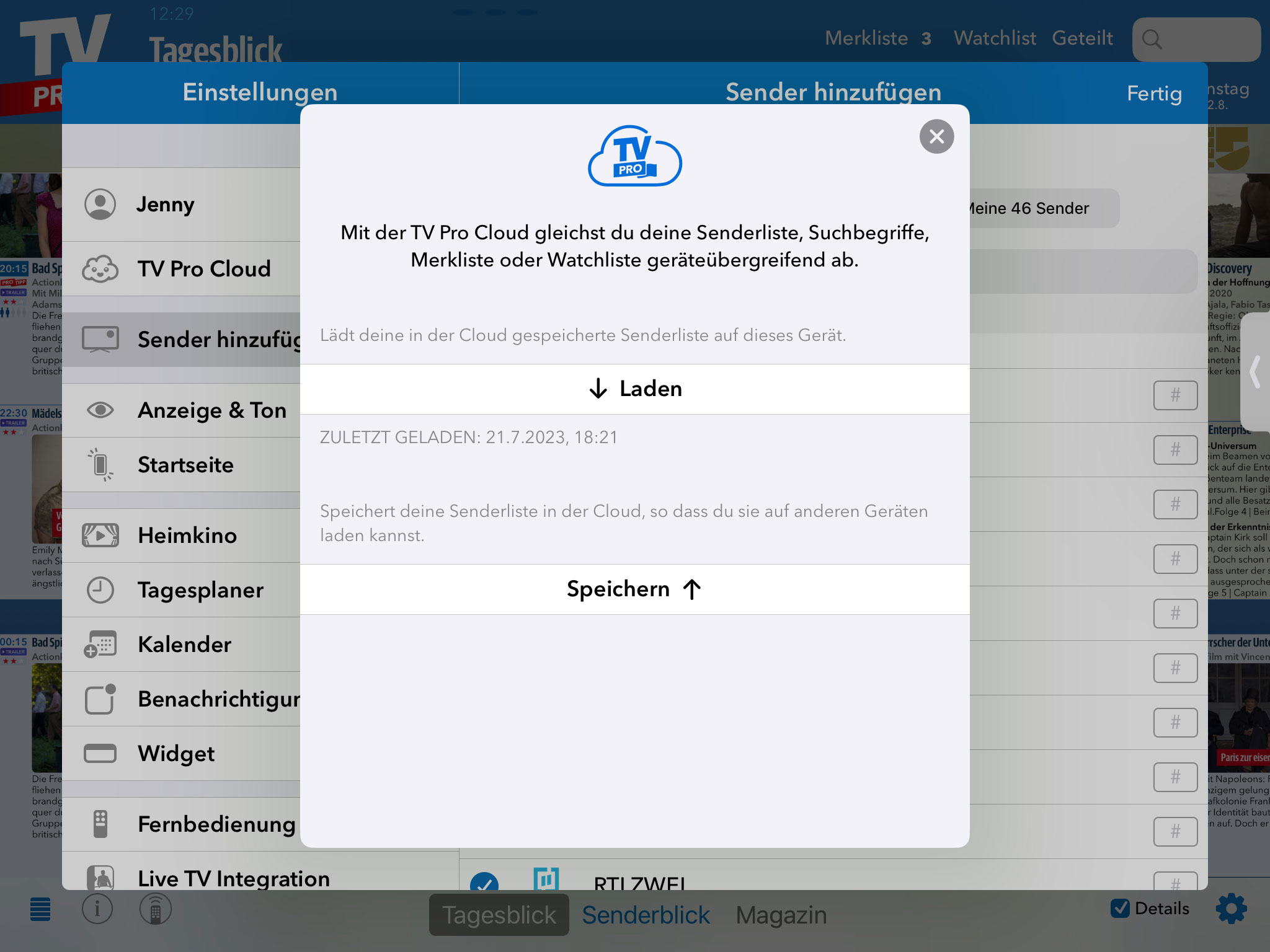
3. The Sync view opens, where you tap Save. Now your channel list is saved from this device to the TV Pro Cloud.
4. Now open TV Pro on your other iPhone or iPad and go to "Add Channels" in the TV Pro settings there as well.
5. Tap "Sync" and then "Load" there as well.
Now the channel list is loaded from the TV Pro Cloud onto your second device.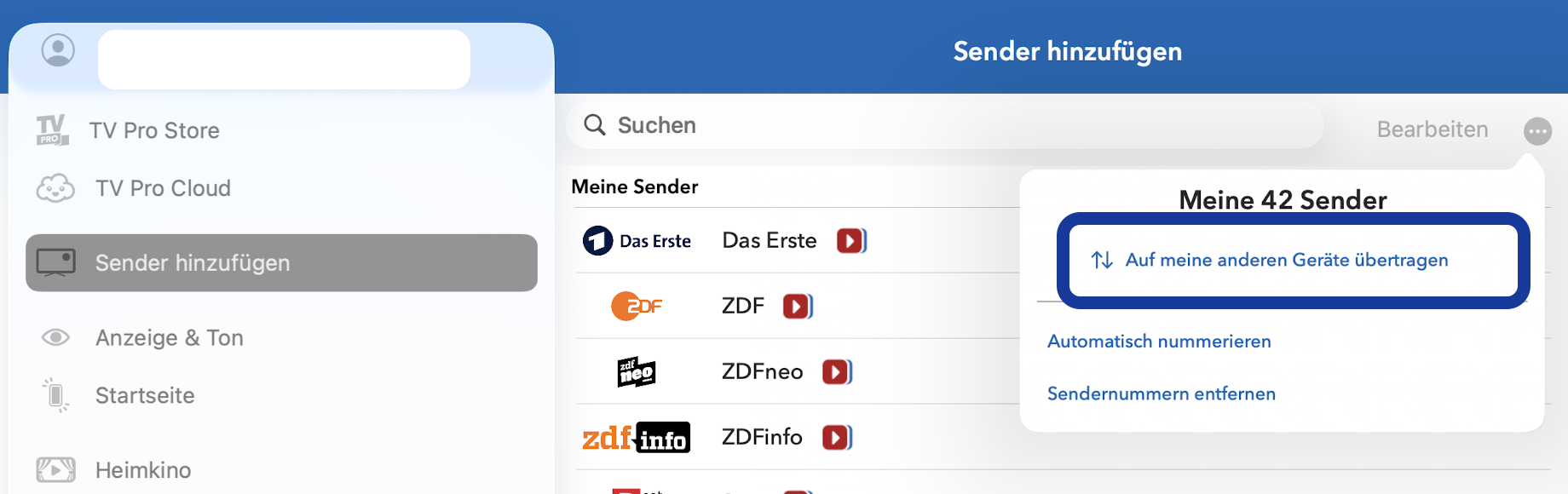
1. In the TV Pro settings, tap "Add Channels"
2. Tap "..." at the very top there.
3. The Sync view opens, where you tap Save. Now your channel list is saved from this device to the TV Pro Cloud.
4. Now open TV Pro on your other iPhone or iPad and go to "Add Channels" in the TV Pro settings there as well.
5. Tap "Sync" and then "Load" there as well.
Now the channel list is loaded from the TV Pro Cloud onto your second device.