Frequently Asked Questions
How can I resize the VPN Tracker window?
If you're having trouble resizing the VPN Tracker window—especially if it seems to “bounce back” when you try to make it smaller—this is likely due to macOS’s built-in window management features.
Here’s what you can do:
-
Disable macOS window tiling:
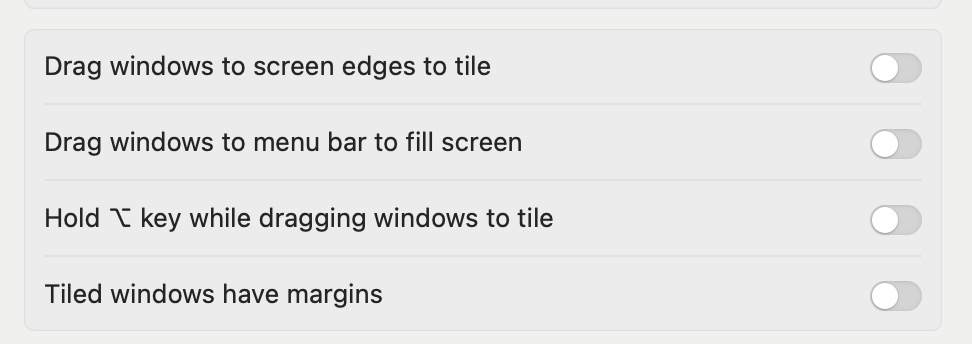
macOS Sequoia includes automatic window tiling, which can cause a bounce-back effect when resizing, making windows jump back after adjusting their size. This can interfere with custom window resizing. To turn off automatic window tiling:- Go to System Settings > Desktop & Dock > Windows
- Disable the following options:
- “Drag windows to screen edges to tile”
- “Drag windows to menu bar to fill screen”
- “Hold ⌥ key while dragging windows to tile”
- “Tiled windows have margins”
After turning off these settings, you should be able to resize the VPN Tracker window more freely.
-
Alternatively, you can minimize the VPN Tracker window to show only the left sidebar:
To do this, click the small button at the bottom-right of the window (see screenshot below). This will shrink the window down to just the sidebar.