




Frequently Asked Questions
Need support on email design issues in Mail Designer 365? Invite us and we'll help you troubleshoot!
Open the Design Chooser in Mail Designer 365
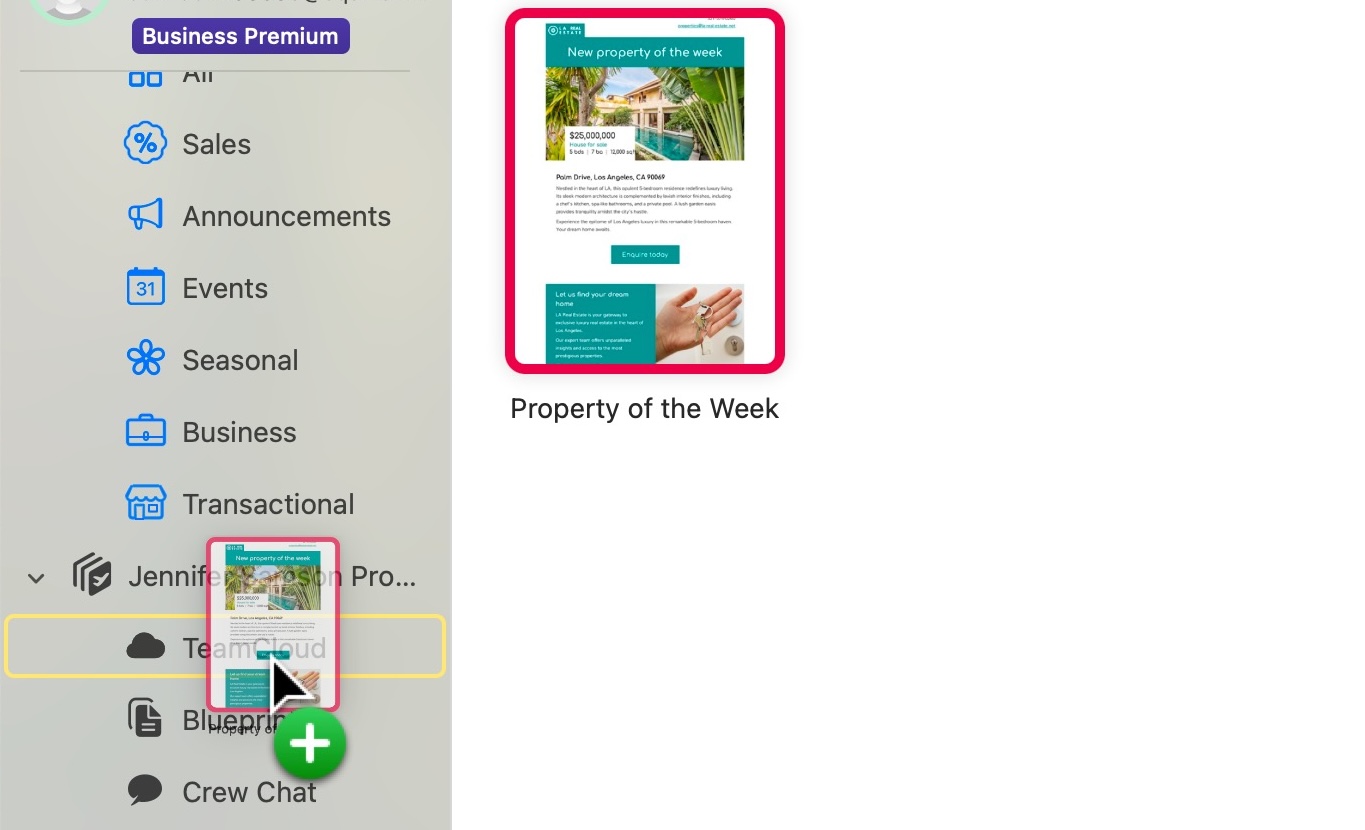
Drag and drop your design into your TeamCloud folder
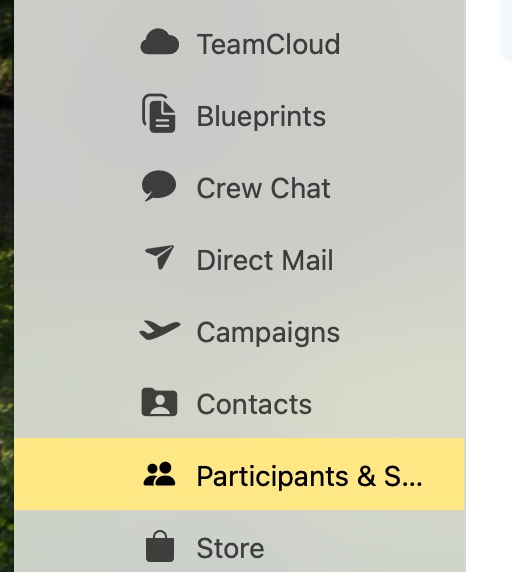
In the left sidebar, go to Participants & Settings
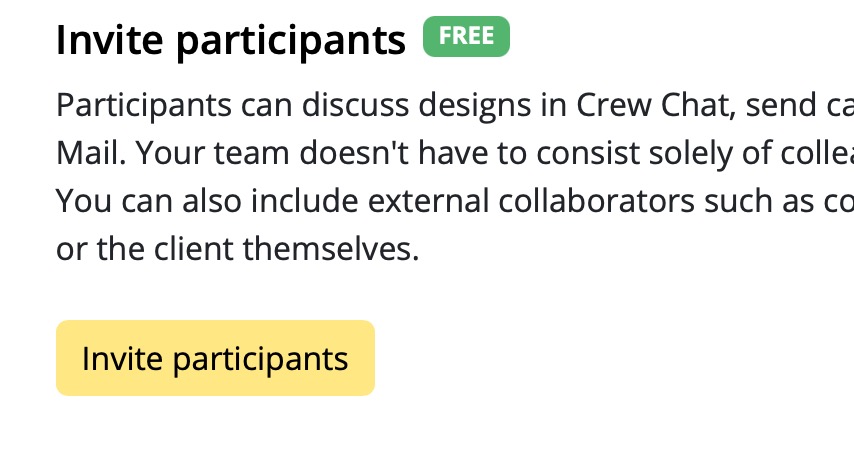
Click Invite participants
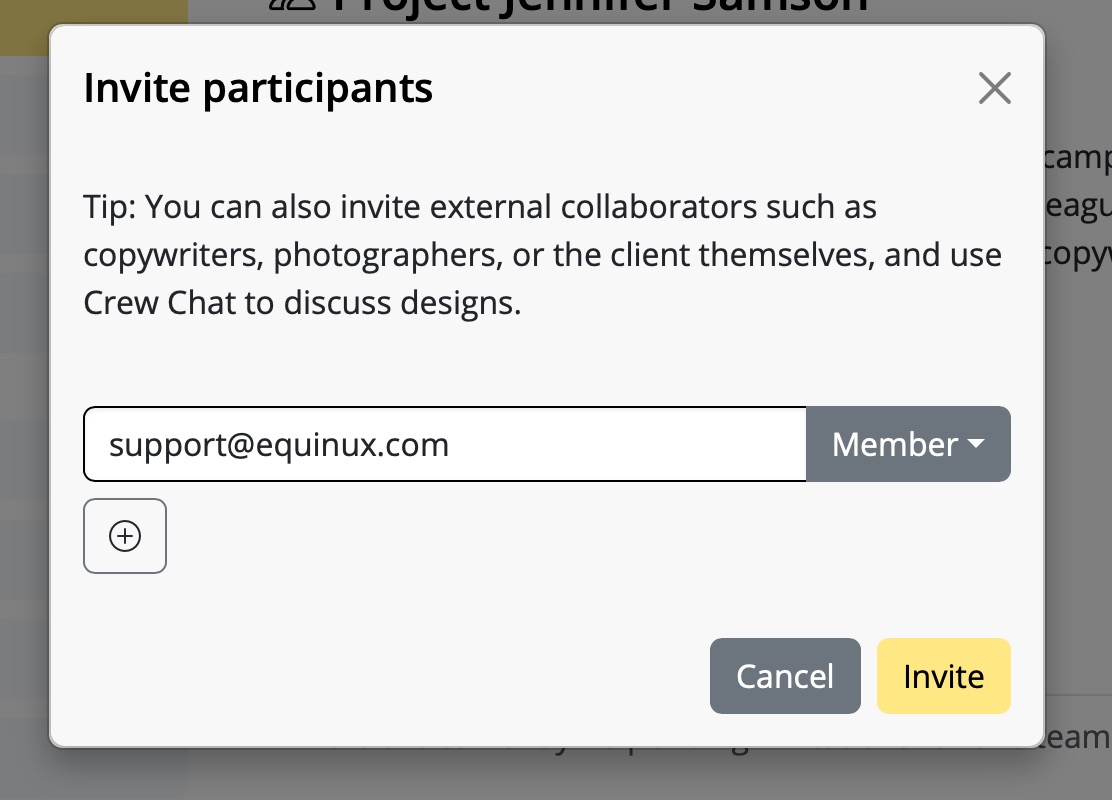
Enter the email address support@equinux.com, keep the role set to Member, then click Invite
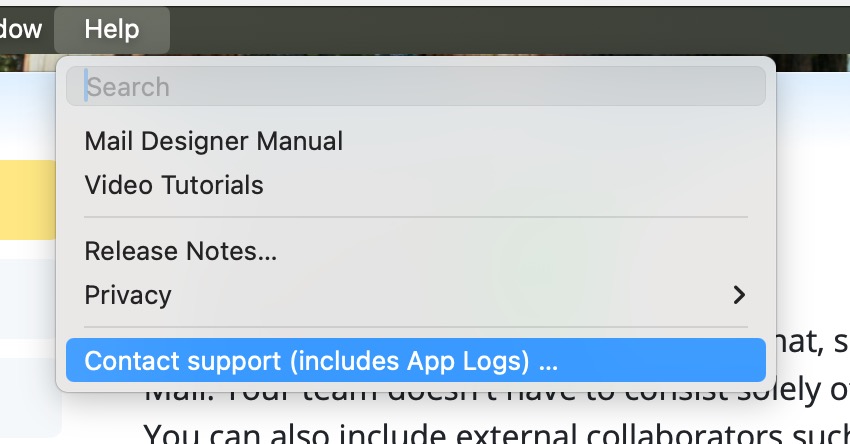
Go to the Help menu
Select Contact support (includes App Logs)...
In the form that opens, add a subject and describe the issue you're experiencing
You can also attach screenshots or drop files to help us better understand the problem
We’re here to help
If you're running into issues with your email design in Mail Designer 365, our support team is happy to assist you. The best way for us to provide fast and effective help is for you to save your design to your TeamCloud and invite us to your team. Follow the steps below:
Step 1: Move your design to TeamCloud
If the design isn't already stored in TeamCloud, move it there like this:
Step 2: Invite our support team
Next, invite us to your team so we can access your design:
Step 3: Contact support
After inviting us, send us a short support request from inside Mail Designer 365:
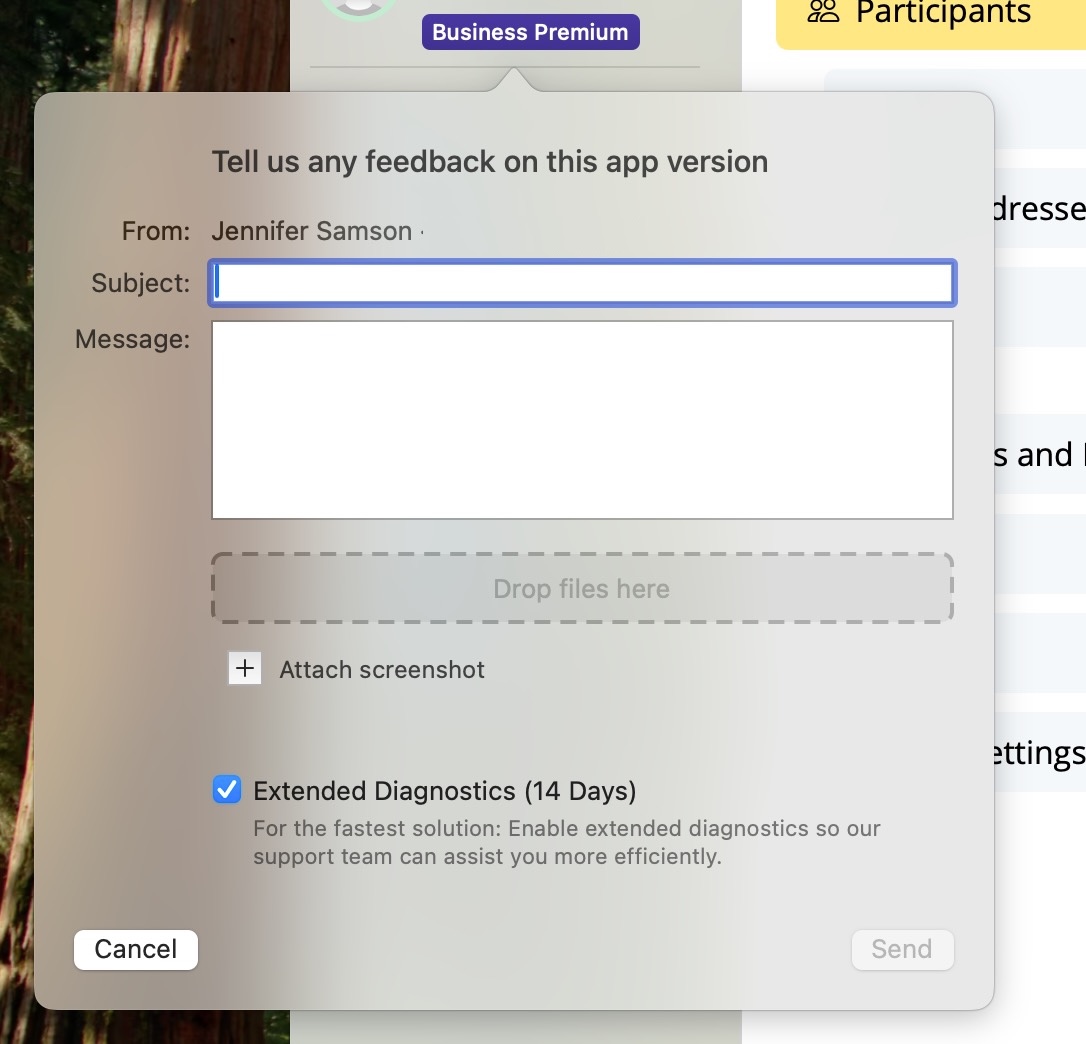
Make sure the box for Extended Diagnostics (14 Days) is checked — this helps us analyze any design-specific problems more thoroughly.
That’s it!
Once we receive your invite and message, we’ll be able to take a closer look and help you resolve your design issue quickly.