




Frequently Asked Questions
How do I save my email design? Where can I find my saved design?
To save, please try the following:
 Note: In the demo version of Mail Designer Pro 3, saving of designs is only possible after your purchase.
‣ Choose "File" > "Save"
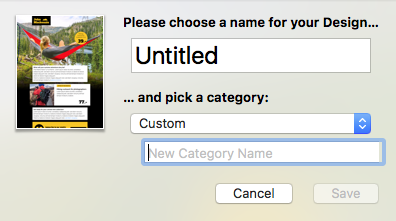
‣ A pop up will appear.
‣ Give your email design a name.
‣ Choose a category or create a new category by choosing "Custom" from the drop-down menu. Then, type in the name of your new category.
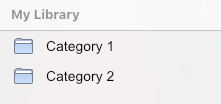
Once you save your email design, it will be saved in Mail Designer app. You can access it from the Design Chooser. You can click on "My Designs" or search for it in "My Library."
 Note: In the demo version of Mail Designer Pro 3, saving of designs is only possible after your purchase.