




Frequently Asked Questions
My Mail Designer 365 email design or formatting is displayed incorrectly in the Mailchimp "Edit" view
The "Edit" View on Mailchimp's website is not meant for a proper preview. Please click on "Preview and Test" on the top right corner of your screen. Then, choose "Enter preview mode."
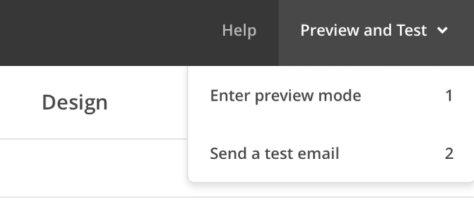 This should give you a better and more accurate view of how great your design will actually look!
Please refer to the following page for further information on how to accurately view your Mail Designer 365's email design once uploaded on MailChimp:
This should give you a better and more accurate view of how great your design will actually look!
Please refer to the following page for further information on how to accurately view your Mail Designer 365's email design once uploaded on MailChimp:
This should give you a better and more accurate view of how great your design will actually look!
Please refer to the following page for further information on how to accurately view your Mail Designer 365's email design once uploaded on MailChimp: