Frequently Asked Questions
How can I add a text link in my Mail Designer 365 email design?
With Mail Designer 365, you can easily add a link into any text. You can also add multiple links within a text area.
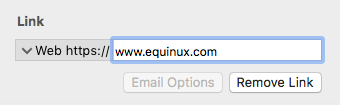
‣ Mark the text that you would like to turn into a link. ‣ Click "Add Link" from the left sidebar.Note: You can change the color and text options of your link using the regular font options.‣ You can now choose what type of link you want to add:
‣ Then enter your URL in the Link destination dialog box: