




Frequently Asked Questions
How can I cancel my VPN Tracker renewal?
To deactivate your VPN Tracker renewal, please follow these steps:
- Log in to you your account at my.vpntracker.com
- Go to "My Plans and Billing" in the sidebar, where you will see your current active plan(s), in case your plan is a team plan, please go to "Team Plans and Billing" in the sidebar
- To deactivate your renewal, flip the switch from blue to grey
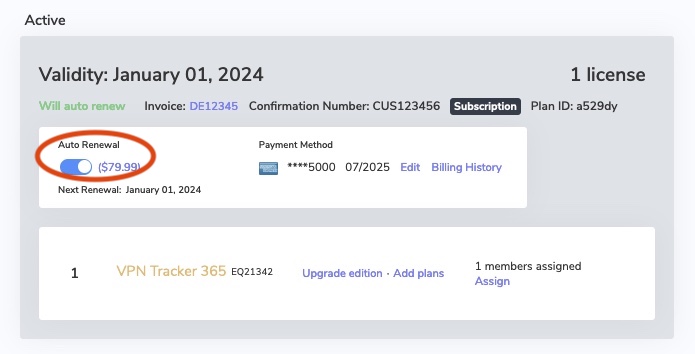
- After deactivating auto renewal, you will receive an email confirming the deactivation.