




Frequently Asked Questions
How can I get access to Nightly updates for VPN Tracker 365?
Nightly builds are exclusive early preview versions of cutting edge, new features that the development team has been working on. We release these to give experienced IT admins the chance to work alongside us and test our latest work even before the beta release.
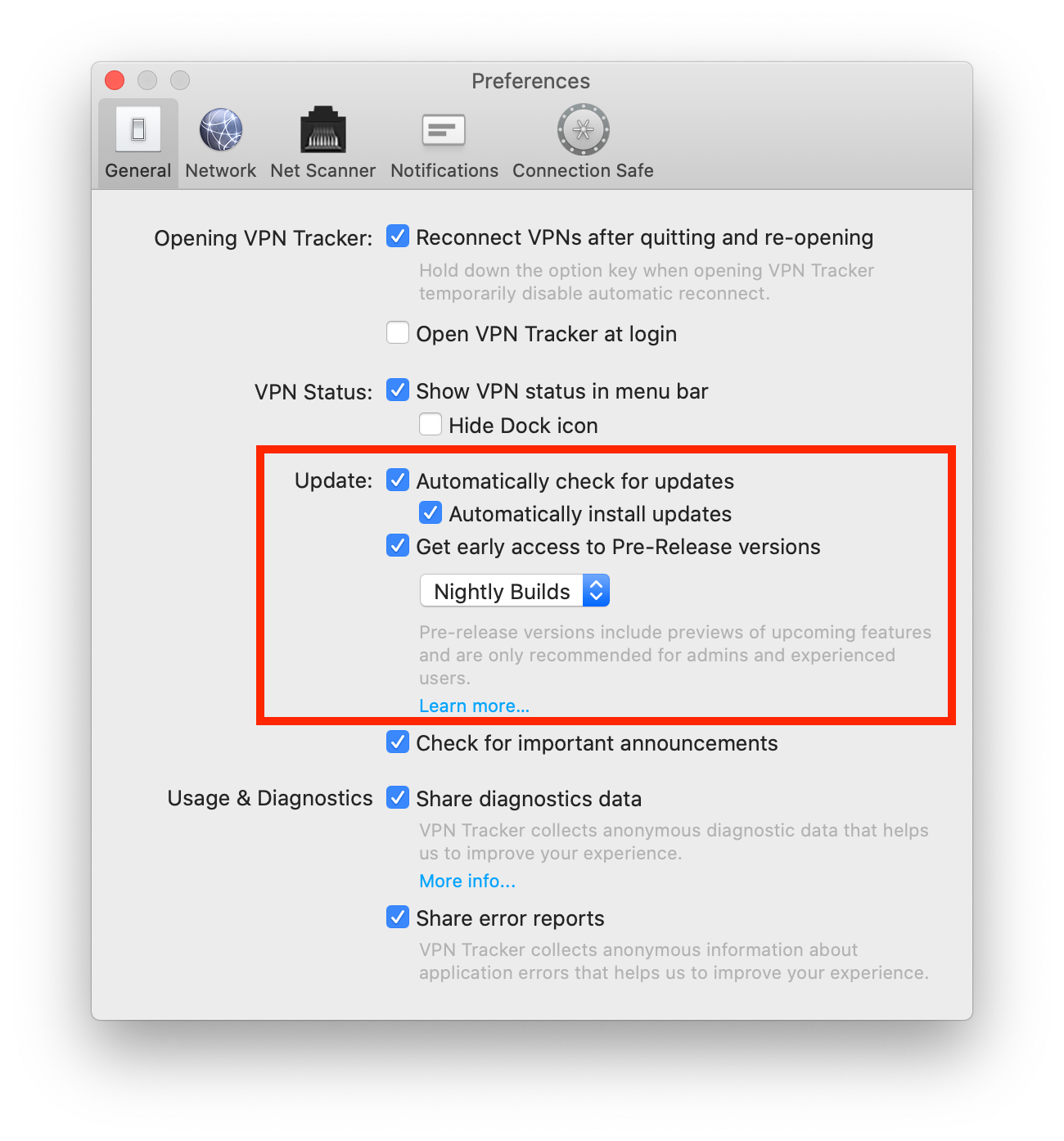
If you would like access to Nightly builds, you need to activate access to early release versions in the app.
 Tip: Next to "Update" you can also check "Automatically check for updates". This way, VPN Tracker 365 will inform you whenever a new Nightly build is available for testing.
Not sure you're up for Nightly testing? If you want to test a more ready-to-launch version of VPN Tracker before it goes live, our beta testing program is another great alternative.
If you run into issues on a Nightly version and want to get back to an older build, you can always find our latest official release on the version history page. Please also note that you can deactivate Nightly testing at any time by unchecking the box in your app preferences.
Tip: Next to "Update" you can also check "Automatically check for updates". This way, VPN Tracker 365 will inform you whenever a new Nightly build is available for testing.
Not sure you're up for Nightly testing? If you want to test a more ready-to-launch version of VPN Tracker before it goes live, our beta testing program is another great alternative.
If you run into issues on a Nightly version and want to get back to an older build, you can always find our latest official release on the version history page. Please also note that you can deactivate Nightly testing at any time by unchecking the box in your app preferences.
- Open the VPN Tracker 365 app and go to "VPN Tracker 365" > "Preferences"
- Next to "Update", check the box "Get early access to Pre-Release versions"
- From the drop down menu, select "Nightly Builds"
Tip: Next to "Update" you can also check "Automatically check for updates". This way, VPN Tracker 365 will inform you whenever a new Nightly build is available for testing.
Not sure you're up for Nightly testing? If you want to test a more ready-to-launch version of VPN Tracker before it goes live, our beta testing program is another great alternative.
If you run into issues on a Nightly version and want to get back to an older build, you can always find our latest official release on the version history page. Please also note that you can deactivate Nightly testing at any time by unchecking the box in your app preferences.