




Frequently Asked Questions
How do I assign a team member a license?
VPN Tracker Team Management features allow you to conveniently manage groups of users, assign licenses and share connections.
As a Team Manager or Organizer, you can assign available VPN Tracker licenses to your team members via your my.vpntracker portal.
How to assign licenses:
 For more step-by-step information on setting up and managing your VPN Tracker Teams, check out this detailed guide.
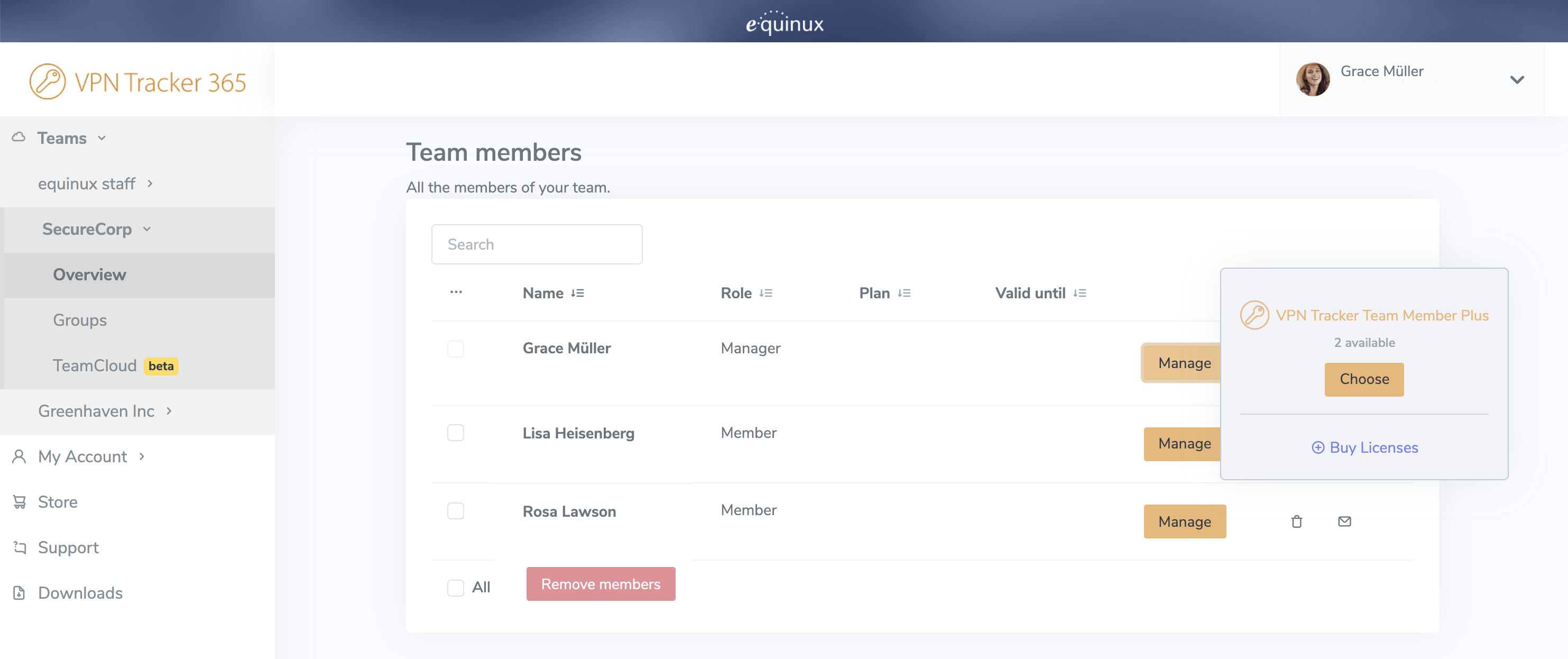
- Log in to your my.vpntracker account and select your team in the sidebar
- Scroll to Team Members. Here you will see a list of the colleagues you have invited to your team and their current license
- Click Manage to be shown your available licenses and select a product from the list to assign it to a user
- If you have no available licenses, you can purchase more from the Team Store by clicking Buy licenses
For more step-by-step information on setting up and managing your VPN Tracker Teams, check out this detailed guide.