




Frequently Asked Questions
How can I add a background to my Mail Designer 365 email template?
Click the background editing mode icon on the bottom left. It will make your other contents invisible, allowing you to focus on your main email background. When choosing a background, you can see 2 different areas. One area includes the background of your text areas, which is the middle of your email design. The second area is the surrounding background area.
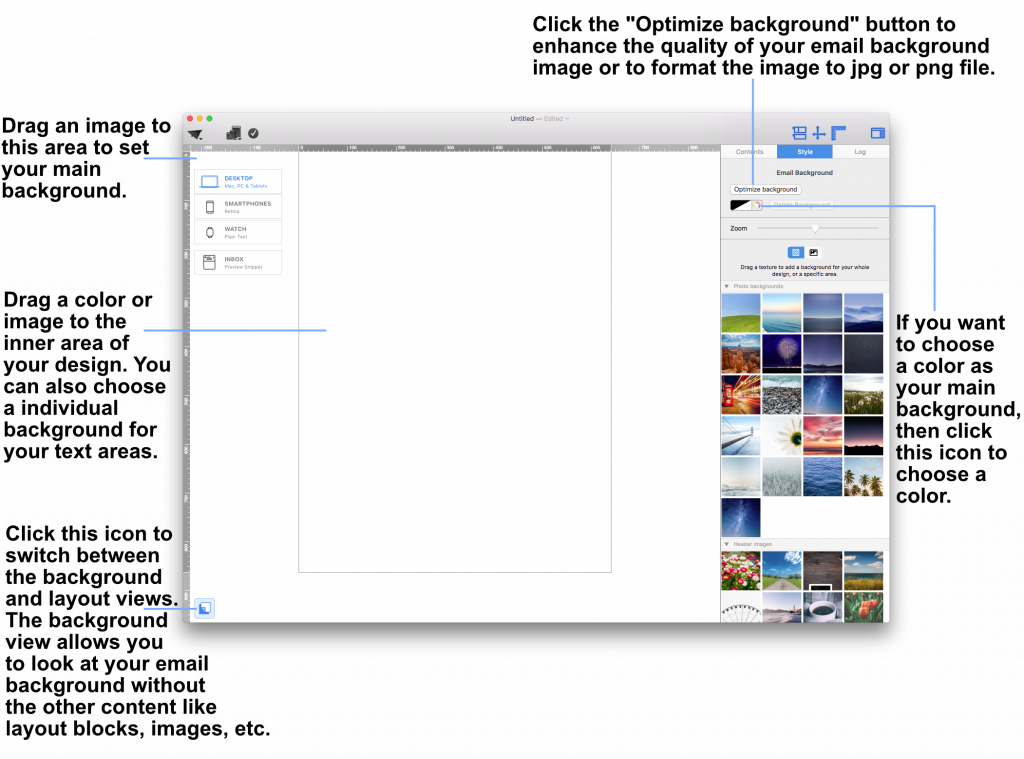 Drag a photo background, image, or texture into the surrounding background area to apply it.
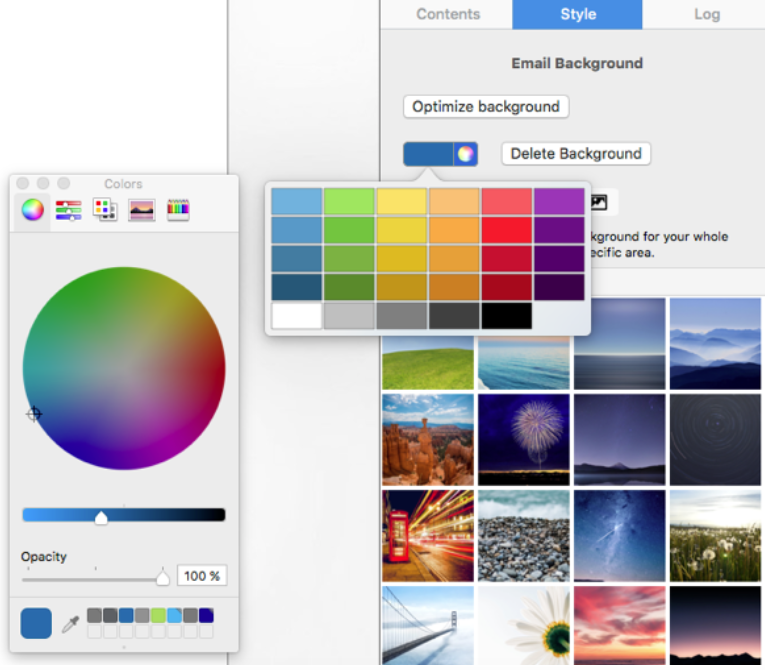
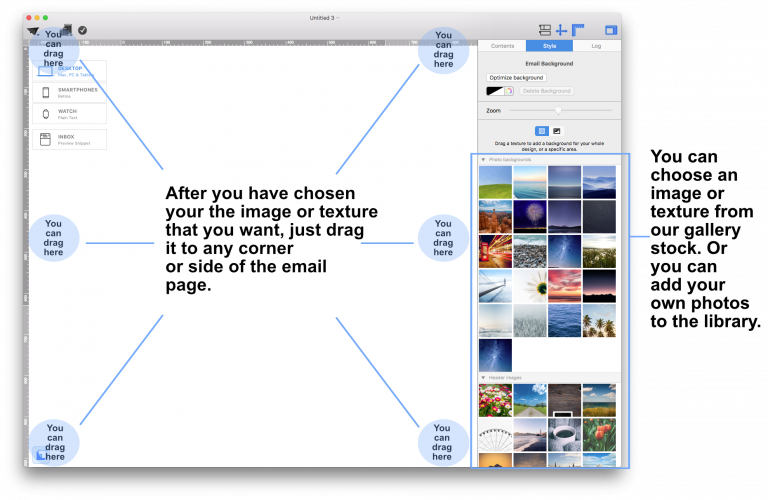 This will apply your choice of background to the mail email background. You can also open the colors window and choose a color as your design background.
 If you would like to set a background for your text areas, then drag an image to the middle area of your email design.
Please refer to the following page for further information on how to change the background of your email template with Mail Designer Pro:
If you would like to set a background for your text areas, then drag an image to the middle area of your email design.
Please refer to the following page for further information on how to change the background of your email template with Mail Designer Pro:
Drag a photo background, image, or texture into the surrounding background area to apply it.
This will apply your choice of background to the mail email background. You can also open the colors window and choose a color as your design background.
If you would like to set a background for your text areas, then drag an image to the middle area of your email design.
Please refer to the following page for further information on how to change the background of your email template with Mail Designer Pro: