Frequently Asked Questions
How can I show missing VPN configuration options in VPN Tracker?
When you select a specific VPN device or gateway profile in VPN Tracker, VPN Tracker first shows the configuration options that were supported by that device when it was tested.
If you need different VPN settings or cannot see a specific option, switch to a generic profile. This reveals all options VPN Tracker 365 supports for the selected VPN protocol.
A generic profile may show options that your VPN gateway does not support. Carefully compare the settings with your VPN gateway configuration, or check with your IT team, before changing values.
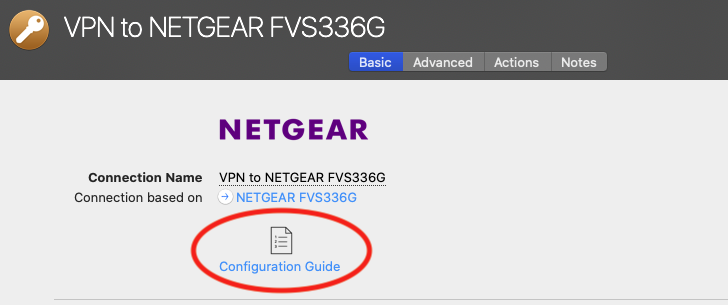
Open the connection in VPN Tracker and go to Configure > Basic.
- Click the currently selected profile under Connection based on.
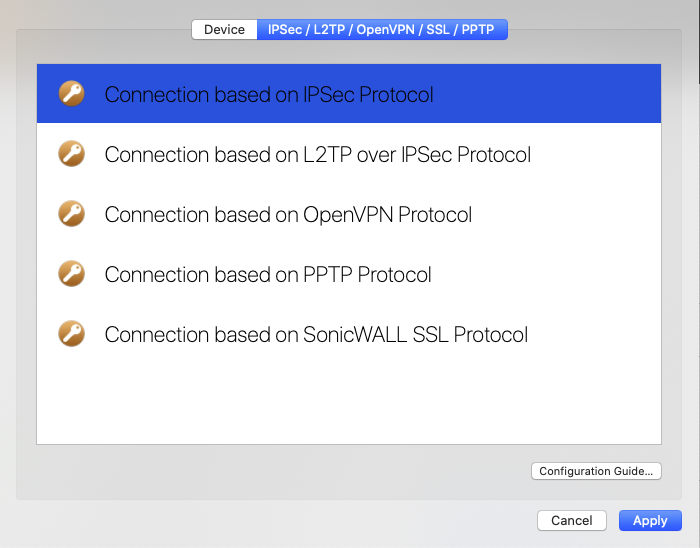
- Choose IPsec/L2TP/OpenVPN/SSL/PPTP.
- Select your VPN protocol from the list and click Apply.
- Choose Don't overwrite to keep the existing default settings for your device.
You can now see and choose all options supported by VPN Tracker 365 for your VPN protocol.