




Frequently Asked Questions
My Office network uses the same IP range as my home network. What can I do?
There are two types of IP addresses: 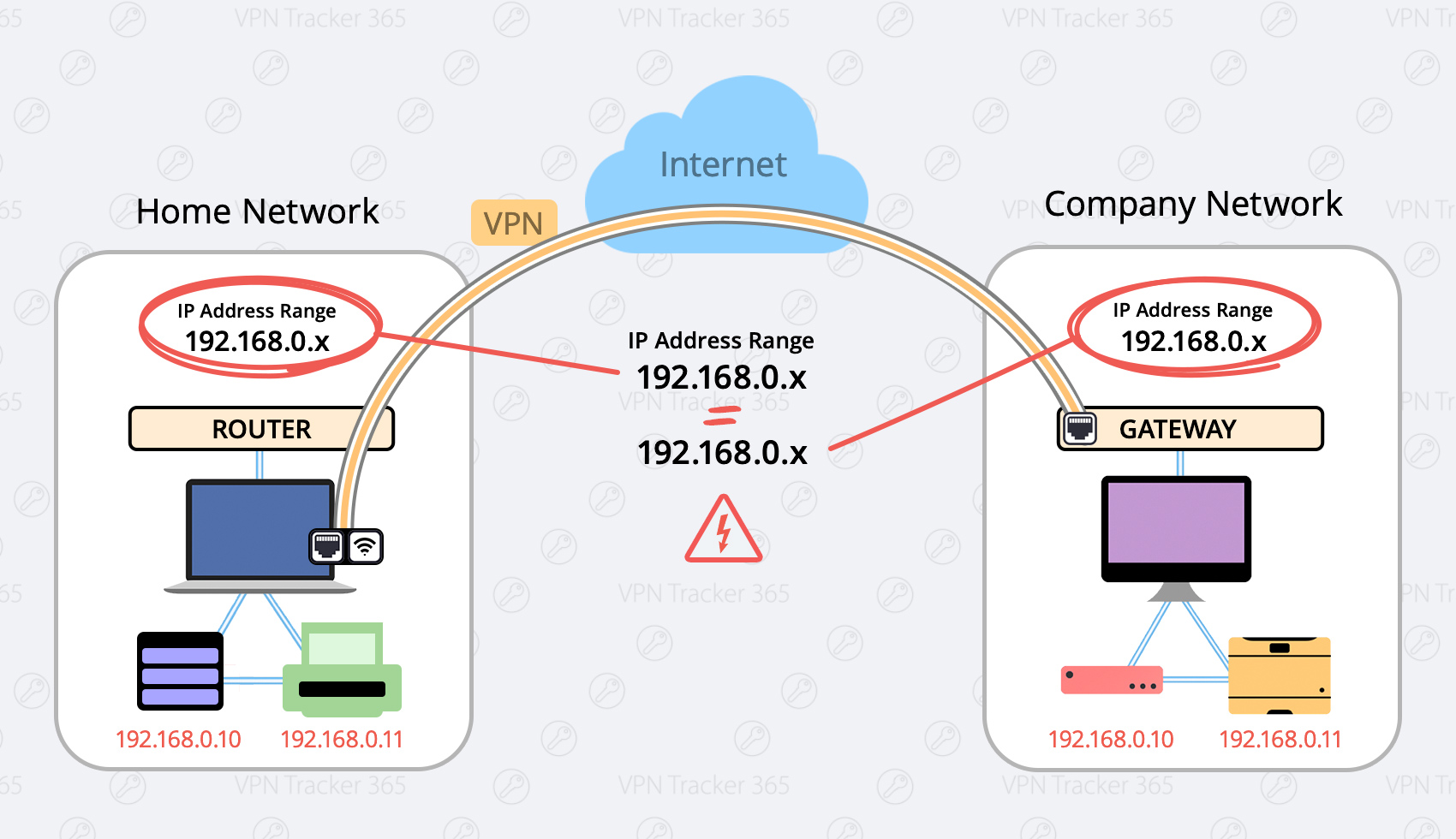 Here are two possible solutions:
- Private IP Addresses, and
- Public IP Addresses
- 192.168.0.x, and
- 192.168.1.x
Here are two possible solutions:
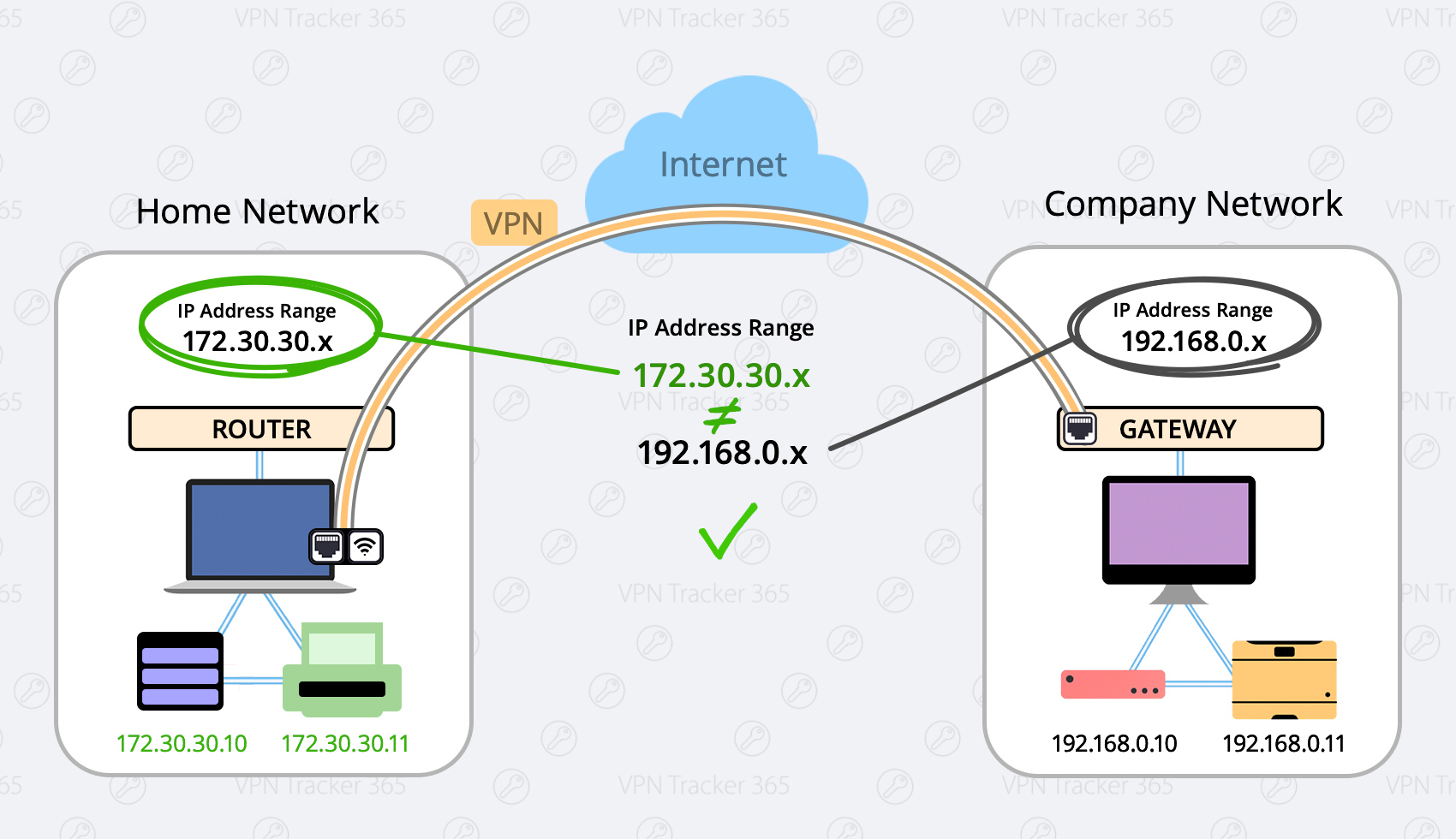
Change your local network to a different range (Preferred)
Possible Ranges are:- 10.250.250.x
- 172.30.30.x
- 192.168.250.x
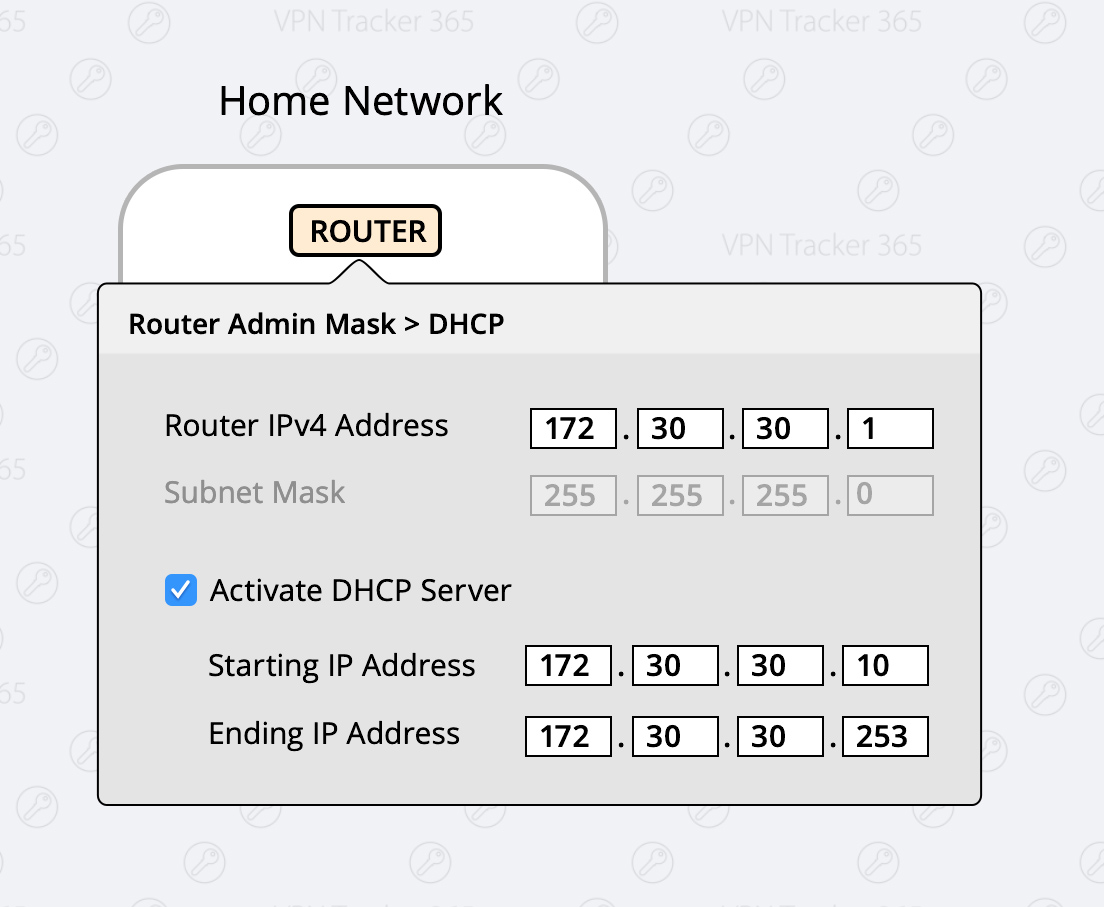
- Login to your home router
- Find the setup section with “DHCP” settings.
- Change your router to a different IP adress (for example an address from one of the ranges listed above, for example 172.30.30.1)
- Change the DHCP Server Settings to the same range of your router (If your router IP is 172.30.30.1, your range could be 172.30.30.10 to 172.30.30.253)
Force Traffic over VPN
There may be situations where it's not possible to use the first option (for example if you're in a coffee shop or hotel) In this case you have the option to force the traffic over your VPN Network, this means your VPN Network (company network) will always win. Advantage: This setting is global, meaning no matter what network you are in you will always be able to connect. Disadvantage: Once you are connected to your company’s VPN, you can not access local service, like home router, local storages or printers. What to do:- Configure your VPN Tracker connection
- Select the "Advanced" Tab at the top
- In the "Traffic control" section, activate the Checkbox "Force traffic over the VPN if remote networks conflict with local networks"
