


Frequently Asked Questions
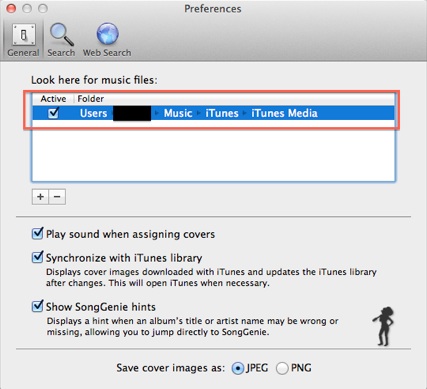
The easiest way to make sure you've got the correct location(s) of all your iTunes music for SongGenie and CoverScout is to look in your preferences. In here you can see the exact folders iTunes uses to access your music.
Where's my iTunes preferences you say?
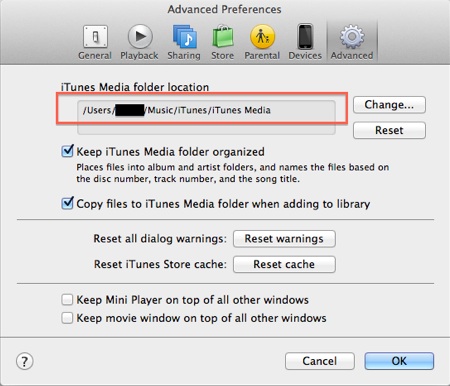
Easy-peasy: Launch iTunes and then from the top menu bar select 'iTunes'. The drop down menu will have an option labelled 'Preferences' which you should to click on. This will bring up a window where you need to select the tab on the right called 'Advanced'.
Now you will see all the locations of your music at the top of the window! There's a screen shot below just to be sure.
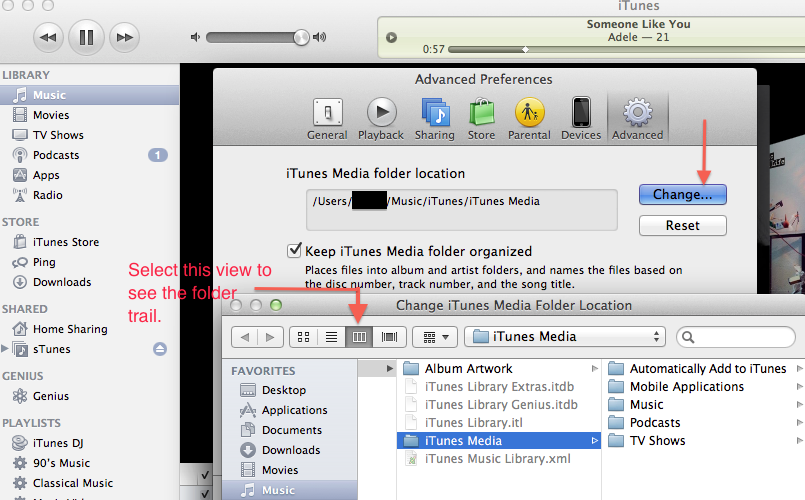
If you're still not quite sure what this location is you can click 'Change' and follow the course of each folder so as you can add it to your locations in SongGenie and CoverScout. Again have a look at the screen shots at the bottom so you can clarify what we mean.
We've explained how to add these locations to SongGenie and CoverScout here.