




Frequently Asked Questions
How do I upgrade my VPN Tracker edition to Pro or VIP?
To upgrade an existing VPN Tracker license, please log in to your my.vpntracker portal and carry out the following steps...
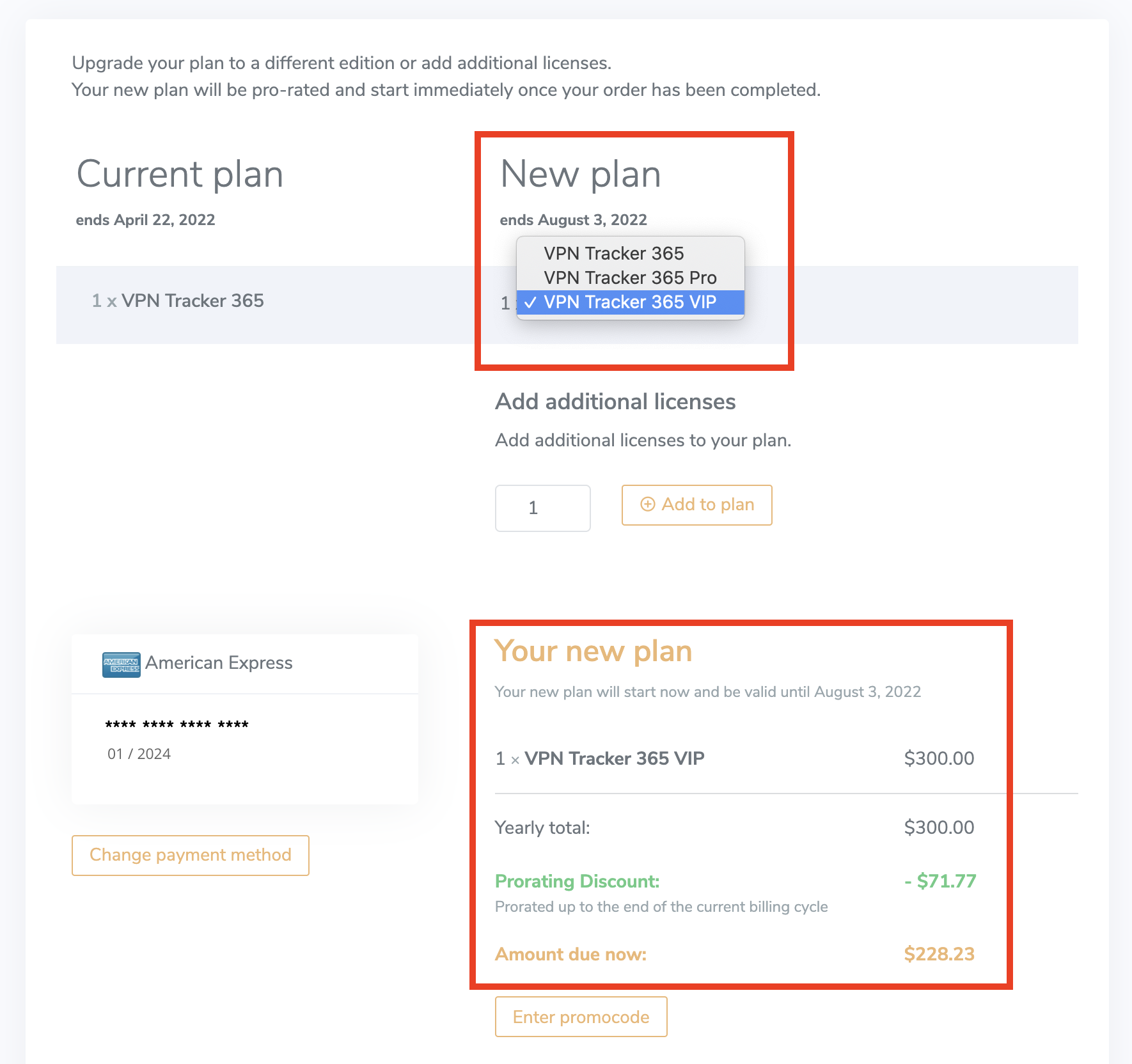
 You will then be taken to the checkout page. Here you can choose which edition to upgrade to. On the right hand side under New plan, select a product from the dropdown list (i.e. VPN Tracker VIP) to calculate your upgrade price.
You can now review your new plan before purchasing. The Prorating Discount is the remaining value of your existing license(s) which is deducted from the yearly total to result in the Amount due now.
You will then be taken to the checkout page. Here you can choose which edition to upgrade to. On the right hand side under New plan, select a product from the dropdown list (i.e. VPN Tracker VIP) to calculate your upgrade price.
You can now review your new plan before purchasing. The Prorating Discount is the remaining value of your existing license(s) which is deducted from the yearly total to result in the Amount due now.
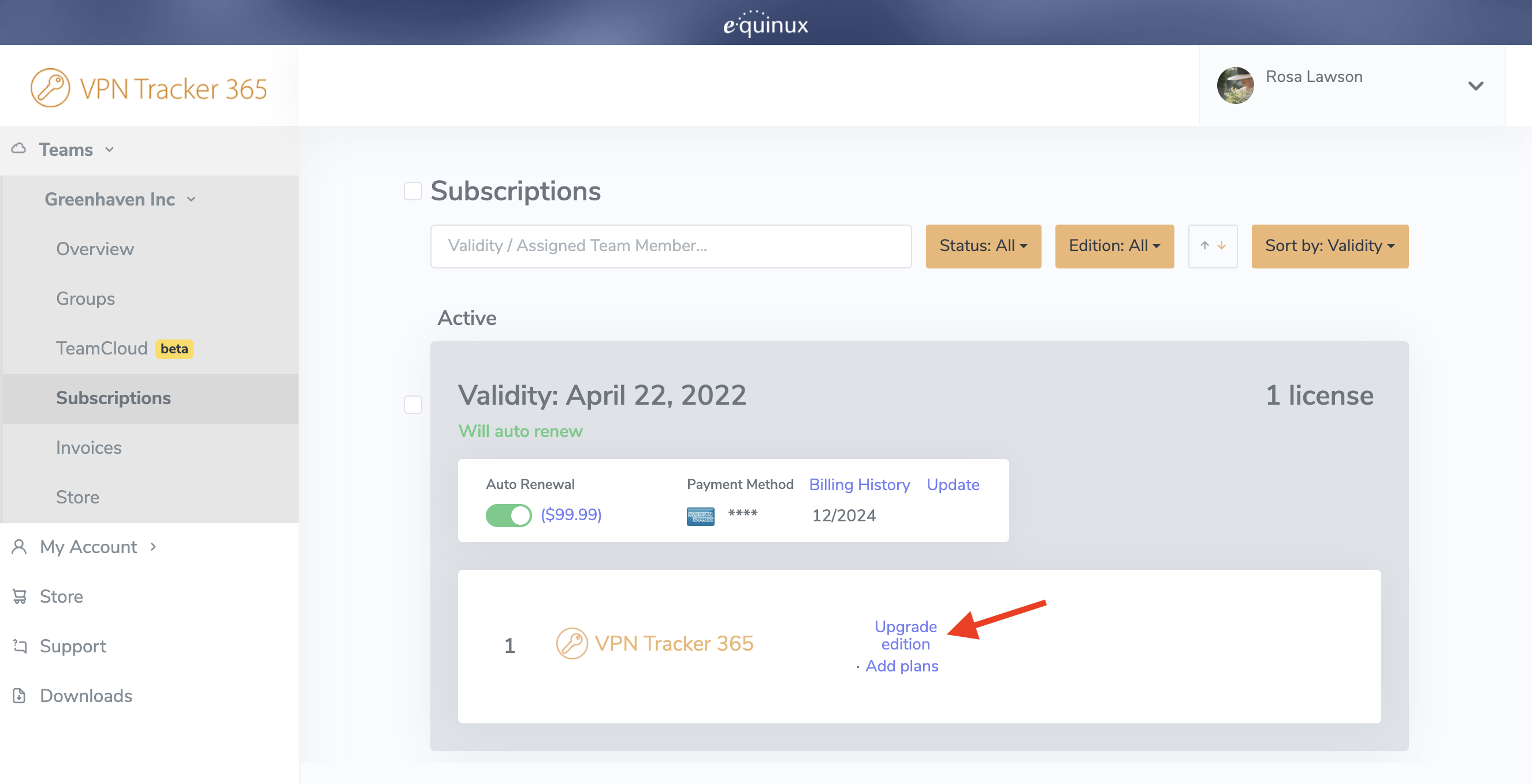
- Choose your team or your account in the sidebar menu and click on Subscriptions
- Choose the plan you wish to upgrade and click on Upgrade edition
You will then be taken to the checkout page. Here you can choose which edition to upgrade to. On the right hand side under New plan, select a product from the dropdown list (i.e. VPN Tracker VIP) to calculate your upgrade price.
You can now review your new plan before purchasing. The Prorating Discount is the remaining value of your existing license(s) which is deducted from the yearly total to result in the Amount due now.