




Frequently Asked Questions
My Mail Designer 365 email design looks perfect on my device; but when I send my test mails or preview the template on my email service provider, the text formatting of my email template becomes jumbled up.
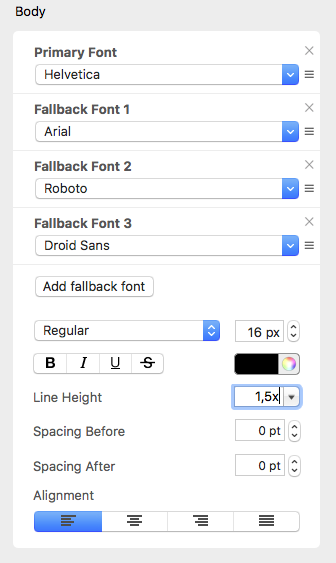
There are a couple of things that you need to check.
‣ First, are you using MailChimp as your email service provider? If yes, make sure that you are not viewing your design on the "Edit" preview within MailChimp's website.‣ Click "Preview and Test" on the top right corner of your screen.‣ If not, try changing the default line height of your text. The default is set at 1.5. Adjust the line height to fit your needs. Try to set the spacing to 1.0 height. Your text should no longer look jumbled up.
‣ Then, choose "Enter preview mode."