




Frequently Asked Questions
How can I consolidate VPN Tracker 365 licenses?
To combine multiple VPN Tracker 365 plans into one so they have the same expiration date, please follow these steps:
 On the next page, you can preview the plans which will be merged and also have the option of upgrading to a different license type or adding new licenses, if needed.
On the right, you will see your new plan. Your new plan will start from today’s date and will run for one year. Your existing licenses will also be renewed.
On the next page, you can preview the plans which will be merged and also have the option of upgrading to a different license type or adding new licenses, if needed.
On the right, you will see your new plan. Your new plan will start from today’s date and will run for one year. Your existing licenses will also be renewed.
 The Yearly total is the total price for one year. The Prorating Discount is the remaining value of your existing licenses which gets deducted from the yearly total to make the Amount due now. Check the Terms and Conditions and click Pay now to finalise your changes.
- Log in to your account at my.vpntracker.com and select your team from the sidebar menu
- Under Subscriptions, you can see an overview of your existing plans
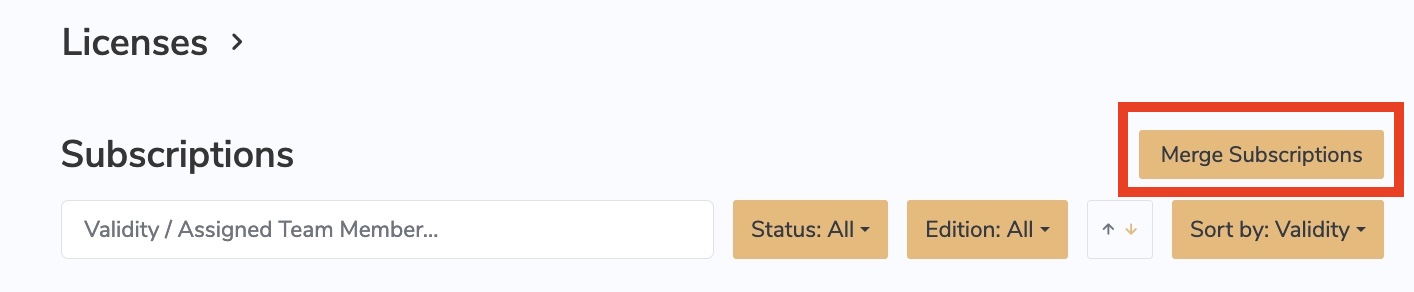
- At the top of the page you will see a "Merge Subscriptions" button. Press this.
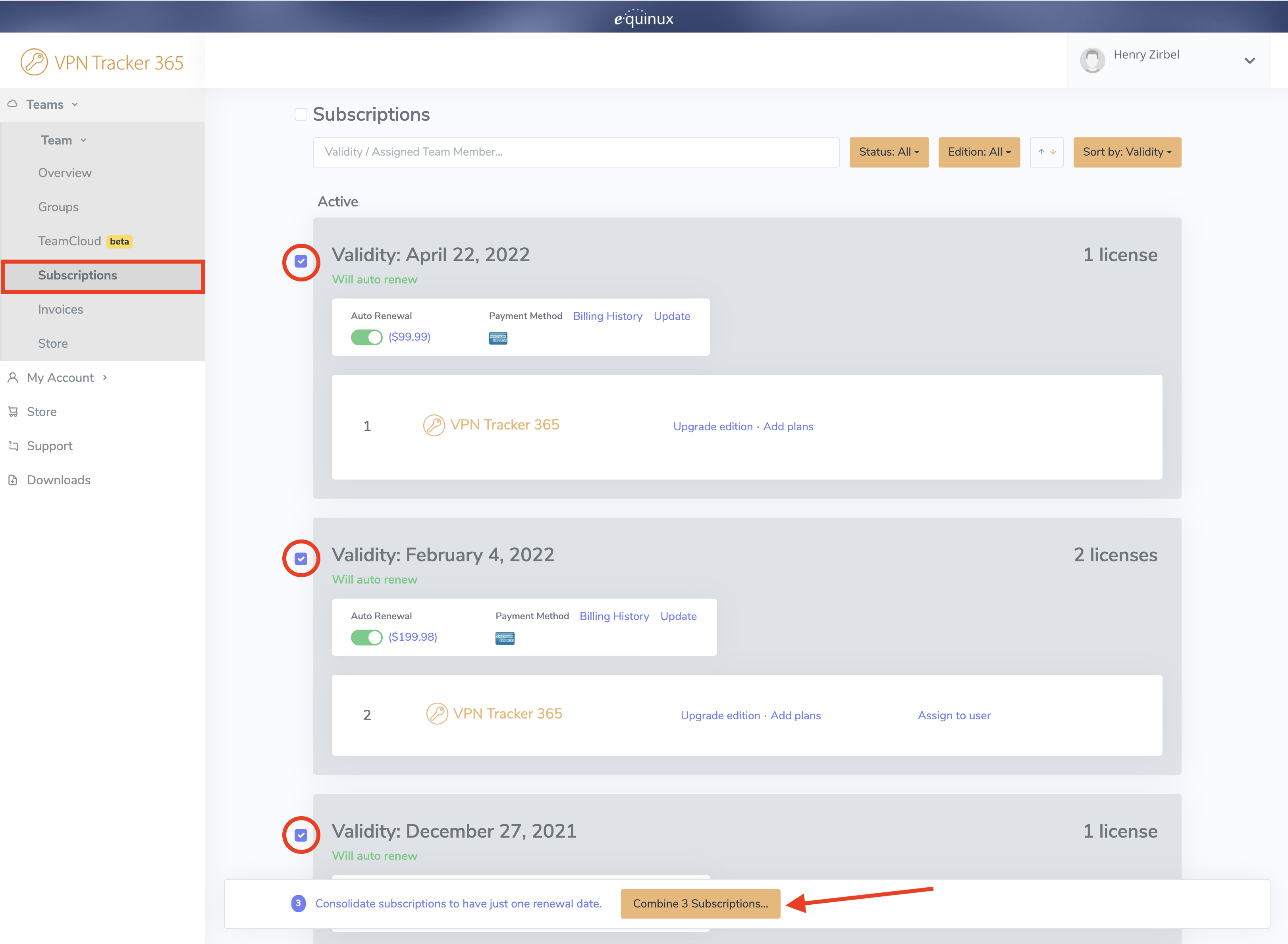
- Select the plans you would like to combine by clicking on the checkbox on the left side next to each plan
- Once you have selected all plans, click Combine Subscriptions at the bottom of the window
On the next page, you can preview the plans which will be merged and also have the option of upgrading to a different license type or adding new licenses, if needed.
On the right, you will see your new plan. Your new plan will start from today’s date and will run for one year. Your existing licenses will also be renewed.
The Yearly total is the total price for one year. The Prorating Discount is the remaining value of your existing licenses which gets deducted from the yearly total to make the Amount due now. Check the Terms and Conditions and click Pay now to finalise your changes.