




Frequently Asked Questions
How can I get access to Beta updates for VPN Tracker 365?
Beta versions are soon to be released versions of VPN Tracker 365. We like to release beta versions to allow users to give us feedback on new features we've been developing before we roll them out to the general public.
If you would like to become part of our beta testing program, you will need to activate access to early release versions in the app.
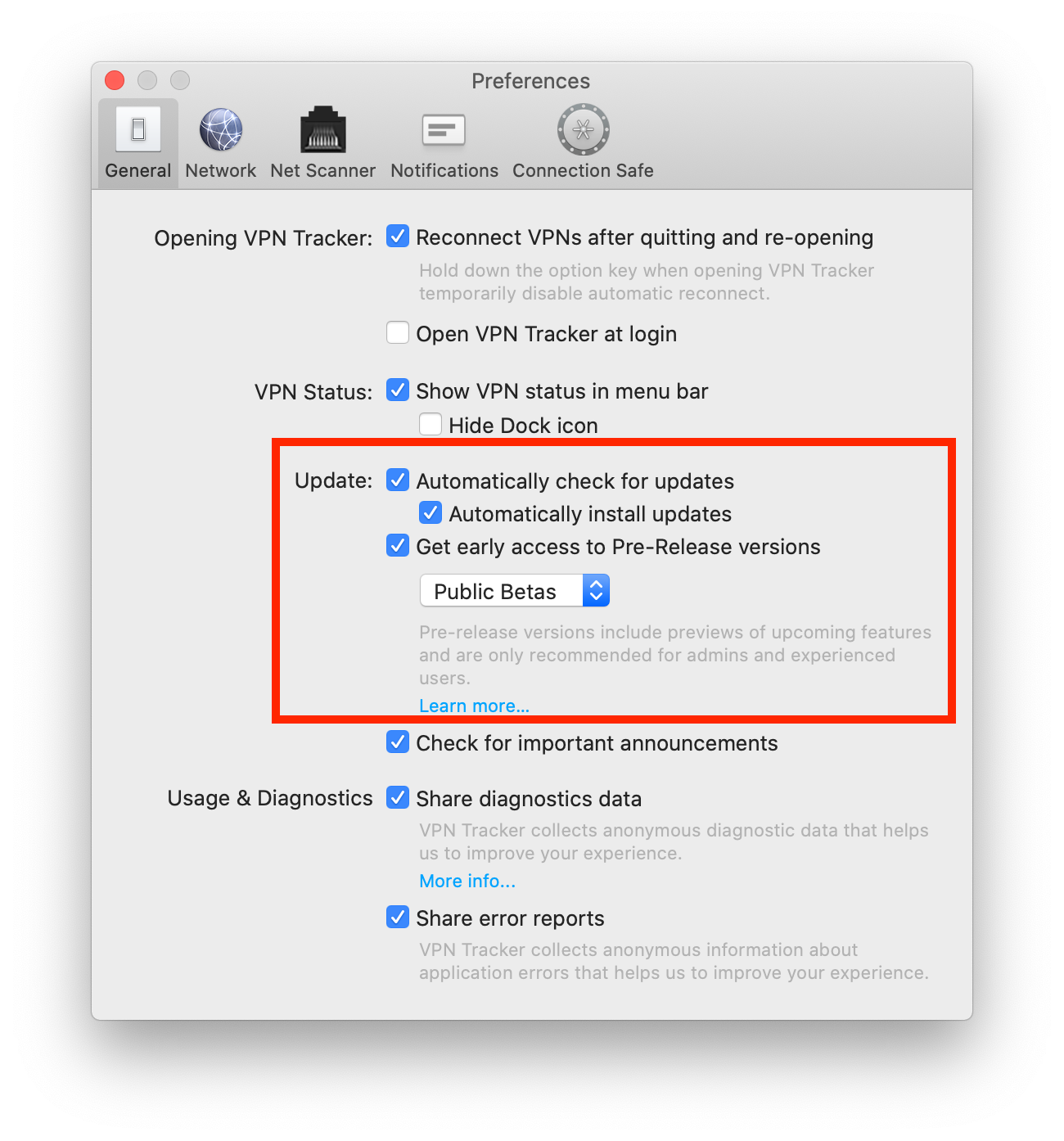 Tip: Next to "Update" you can also check "Automatically check for updates". This way, VPN Tracker 365 will inform you whenever a new beta version is available for testing.
Are you an experienced IT admin wanting to take things one step further? Check out our Nightly builds...
If you run into issues on a beta version and want to get back to an older build, you can always find our latest official release on the version history page. Please also note that you can deactivate beta testing at any time by unchecking the box in your app preferences.
Tip: Next to "Update" you can also check "Automatically check for updates". This way, VPN Tracker 365 will inform you whenever a new beta version is available for testing.
Are you an experienced IT admin wanting to take things one step further? Check out our Nightly builds...
If you run into issues on a beta version and want to get back to an older build, you can always find our latest official release on the version history page. Please also note that you can deactivate beta testing at any time by unchecking the box in your app preferences.
- Open the VPN Tracker 365 app and go to "VPN Tracker 365" > "Preferences"
- Next to "Update", check the box "Get early access to Pre-Release versions"
- From the drop down menu, select "Beta versions"
Tip: Next to "Update" you can also check "Automatically check for updates". This way, VPN Tracker 365 will inform you whenever a new beta version is available for testing.
Are you an experienced IT admin wanting to take things one step further? Check out our Nightly builds...
If you run into issues on a beta version and want to get back to an older build, you can always find our latest official release on the version history page. Please also note that you can deactivate beta testing at any time by unchecking the box in your app preferences.