




Frequently Asked Questions
How do I cancel my VPN Tracker trial?
If you’ve signed up for a free or discounted VPN Tracker trial and don’t wish to continue with a paid subscription, you can cancel it easily from your account.
How to cancel your VPN Tracker trial:
- Log in to your account at my.vpntracker.com.
- Go to “My Plans and Billing” in the sidebar.
- Locate your active trial plan.
- Click “Cancel Trial”.
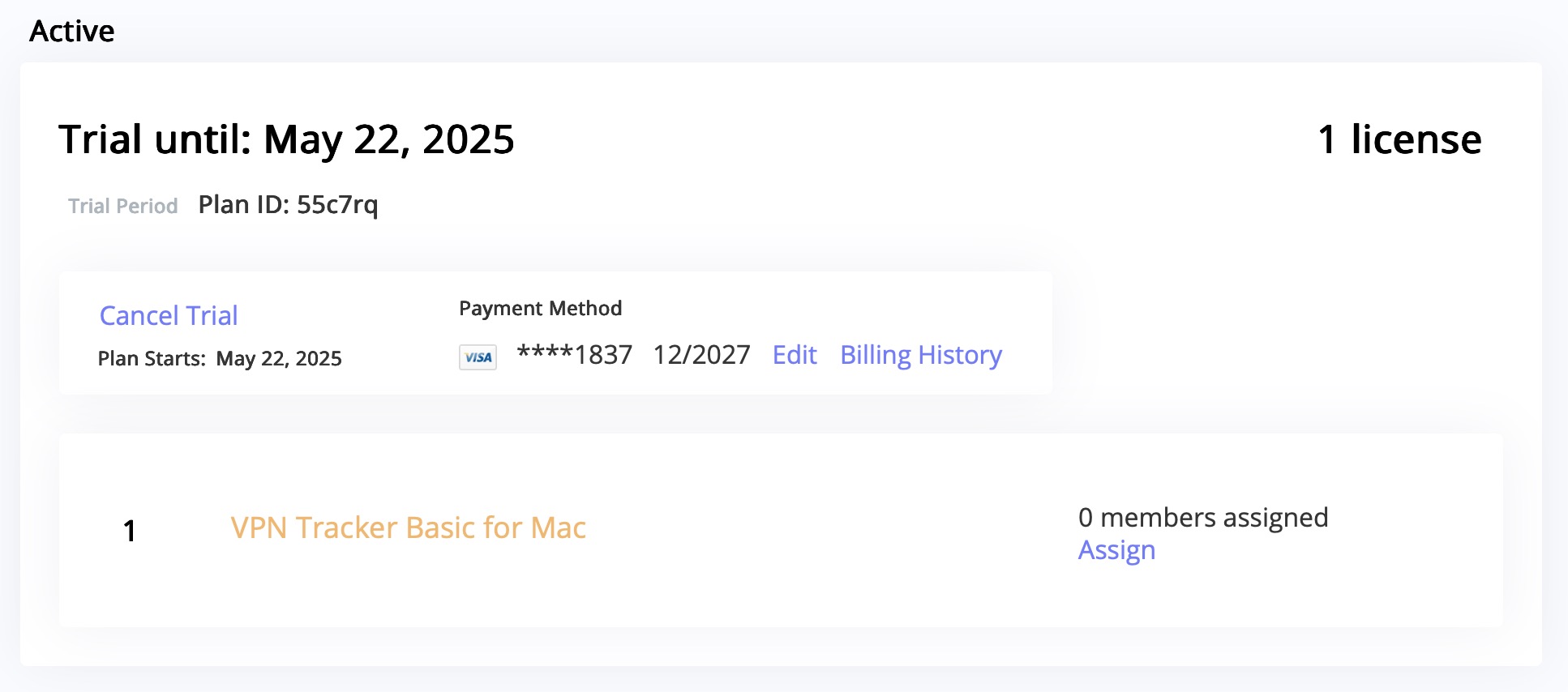
Important information about trial cancellations:
- If you signed up for a free or discounted trial and don’t want to be charged, make sure to cancel at least 24 hours before your trial ends.
- Canceling your trial will end your access to the trial immediately.
Once canceled, the plan will no longer renew, and your payment method will not be charged.
Having trouble with your connection setup?
We're happy to help you get your connection up and running. Just contact our Support Team