Having issues with my VPN connection. How do I create a Technical Support Report (TSR) on Mac, iPhone &iPad?
A Technical Support Report contains your VPN Tracker settings and relevant network and system settings that our technical support team needs to be able to assist you quickly. Confidential data (e.g passwords, pre-shared keys, private keys) are not included in a Technical Support Report (TSR).
How to create a Technical Support Report on a Mac:
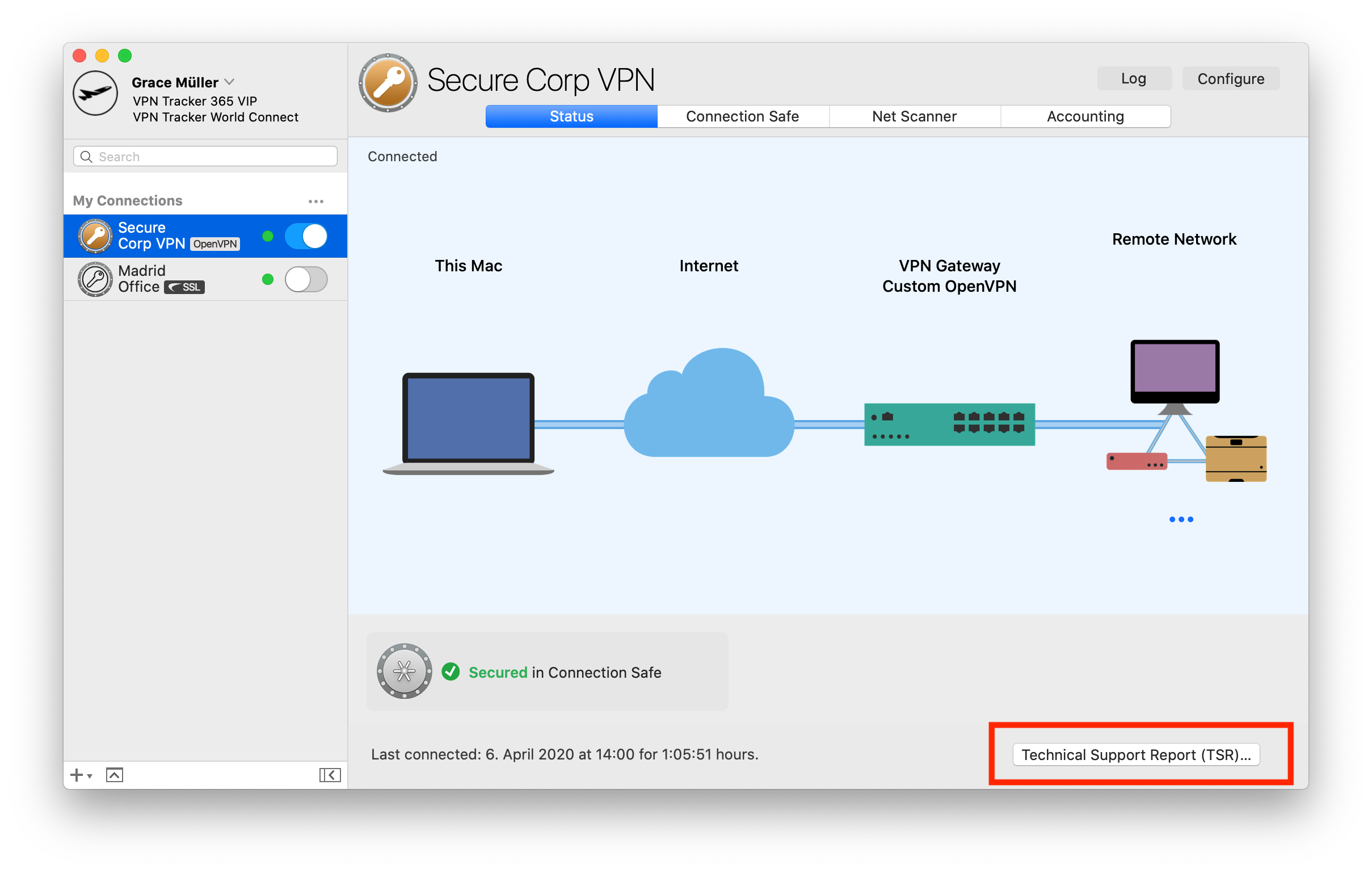
‣ Click on your VPN connection in VPN Tracker 365.
‣ In the bottom right corner under the "Status" tab, you will see the TSR button.
‣ Click the button to generate the report and follow the instructions to send to our support team.
 How to create a Technical Support Report on an iPhone/iPad:
‣ Tap on the connection. The connection card appears.
‣ Tap on “Feedback”
‣ Provide a short description of the connection problem
‣ Tap on Send
If you have an issue connecting to the VPN in the first place, please make a connection attempt right before creating the Technical Support Report, then create the Technical Support Report as soon as the connection attempt has failed.
If you can connect to the VPN, but something is not working right after the connection has been established, please establish the VPN connection, then create the Technical Support Report while the VPN is connected.
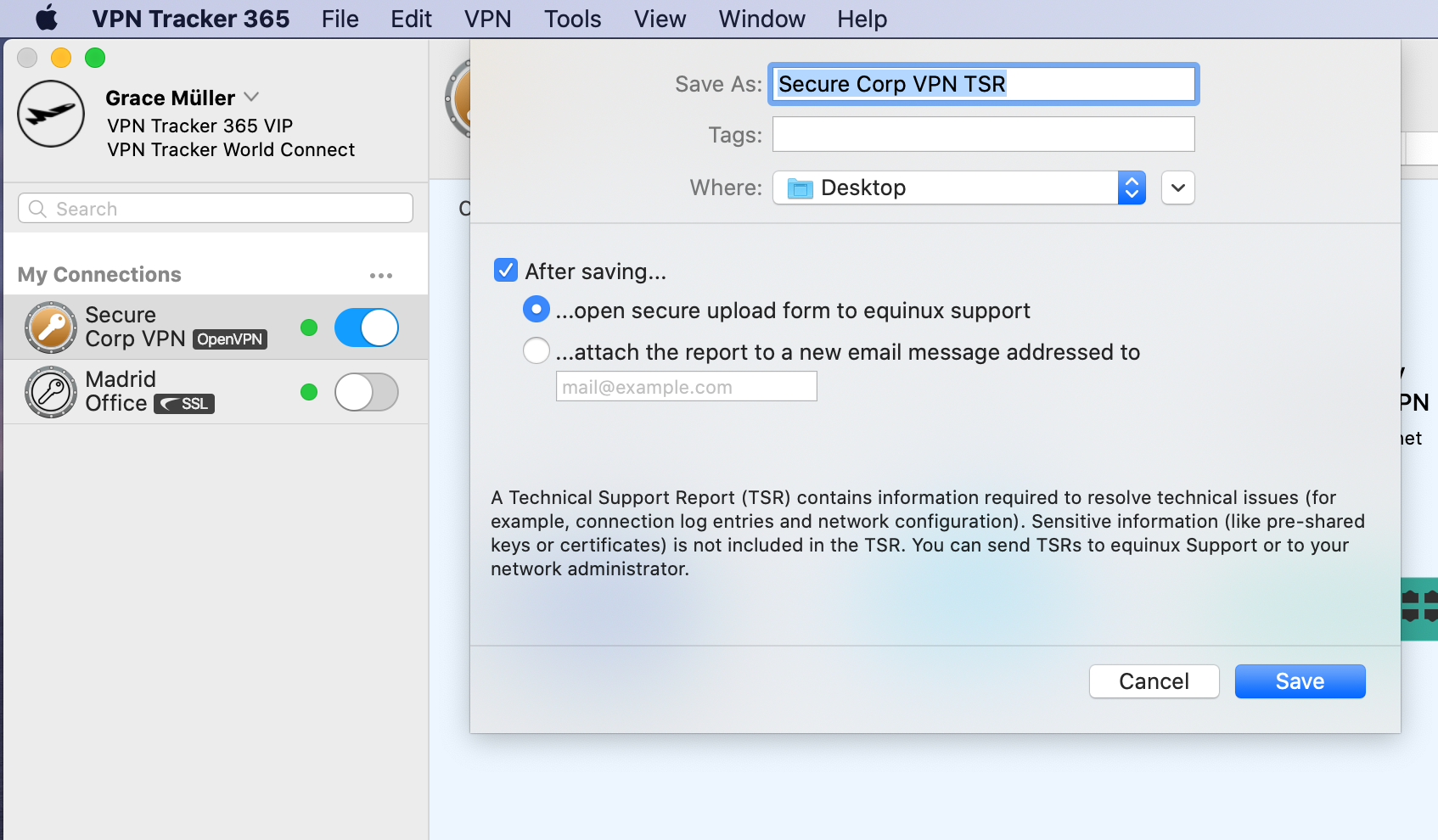
You can either email the report directly to our support team from VPN Tracker 365, or save it to email later or from a different computer, or to upload it using the contact form on our website:
Whenever possible, also include screenshots of the VPN setup on your VPN gateway.