Email template design is the process of creating a pre-formatted layout that serves as a reusable foundation for email campaigns. These templates are usually built using HTML and inline CSS and contain structured placeholders for dynamic content—like personalized text, product images, or call-to-action buttons. Instead of starting from scratch each time, marketers and teams can use these templates to maintain consistency, save time, and ensure professional-quality emails every time.
A well-designed email template typically includes:
- Header with logo and navigation
- Hero image or featured content section
- Text areas for messages or offers
- CTA buttons to drive user action
- Footer with unsubscribe links and contact details
Why are email templates important?
Email templates ensure that emails remain consistent across devices, comply with design standards, and render properly in major email clients like Gmail, Outlook, or Apple Mail. They also help:
- Enforce brand consistency
- Save production time
- Reduce design and coding errors
- Improve responsiveness on mobile devices
Common use cases
- Newsletters: Regular updates sent to subscribers
- Promotions: Highlight product launches or sales
- Transactional emails: Send order confirmations, receipts, or alerts
- Event announcements: Share details and invitations
Reusability: A core benefit of email templates
The greatest advantage of an email template is its reusability. Once created, a template can be used again and again across different campaigns. Just update the specific content while maintaining the layout and branding. This makes scaling email marketing fast, consistent, and reliable—especially for teams working on regular mailings.
Blueprints in Mail Designer 365
Mail Designer 365 takes email template design even further with its unique Blueprints feature. A Blueprint acts as a protected master version of a design. When you or a team member opens it, a new draft is created automatically, leaving the original untouched. This means multiple versions can be customized—each tailored to different recipients or campaigns—without overwriting the base design. Want to learn more? Check out our full guide on using Blueprints for email design in teams.
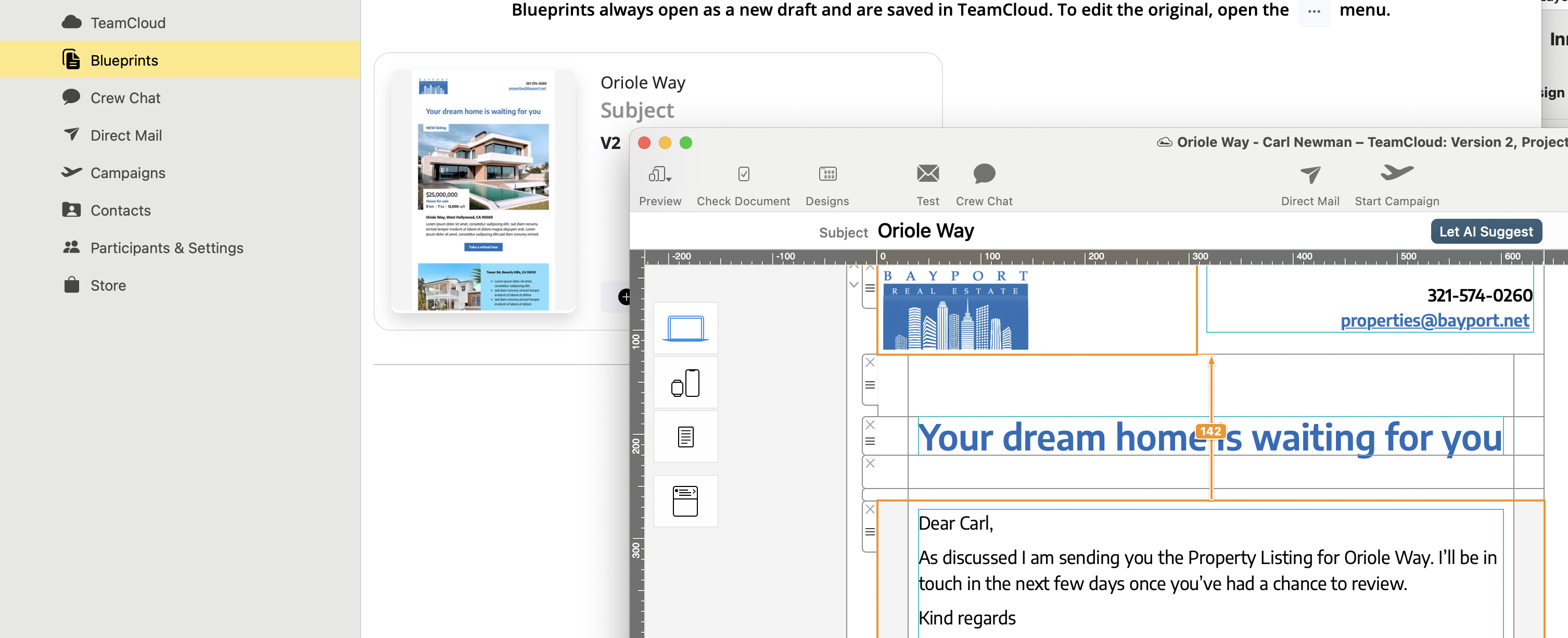
Caption: Easily customize a Blueprint in Mail Designer 365 to create unique versions for each recipient—without ever altering the original design.
This collaborative workflow is perfect for teams: one person creates the base template, while others adapt it to their use case—ensuring quality and consistency across the board.
Want to create reusable, professional email templates on your Mac?
Get started with Mail Designer 365’s Email Template Creator